

服务器开发
我们要构建什么
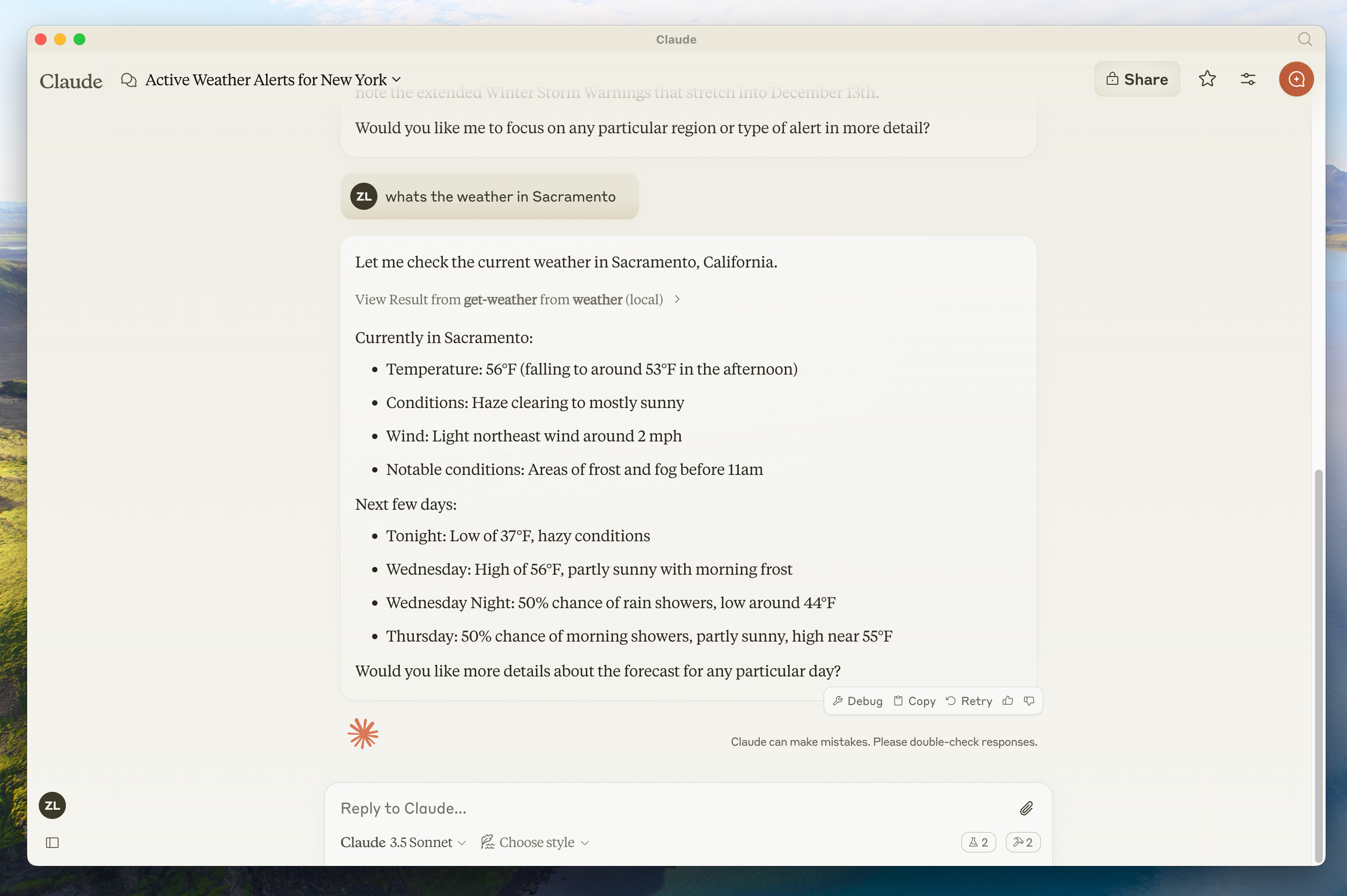
get-alerts (获取警报)和 get-forecast(获取预报)。 然后,我们将服务器连接到 MCP 主机(在本例中为 Claude for Desktop):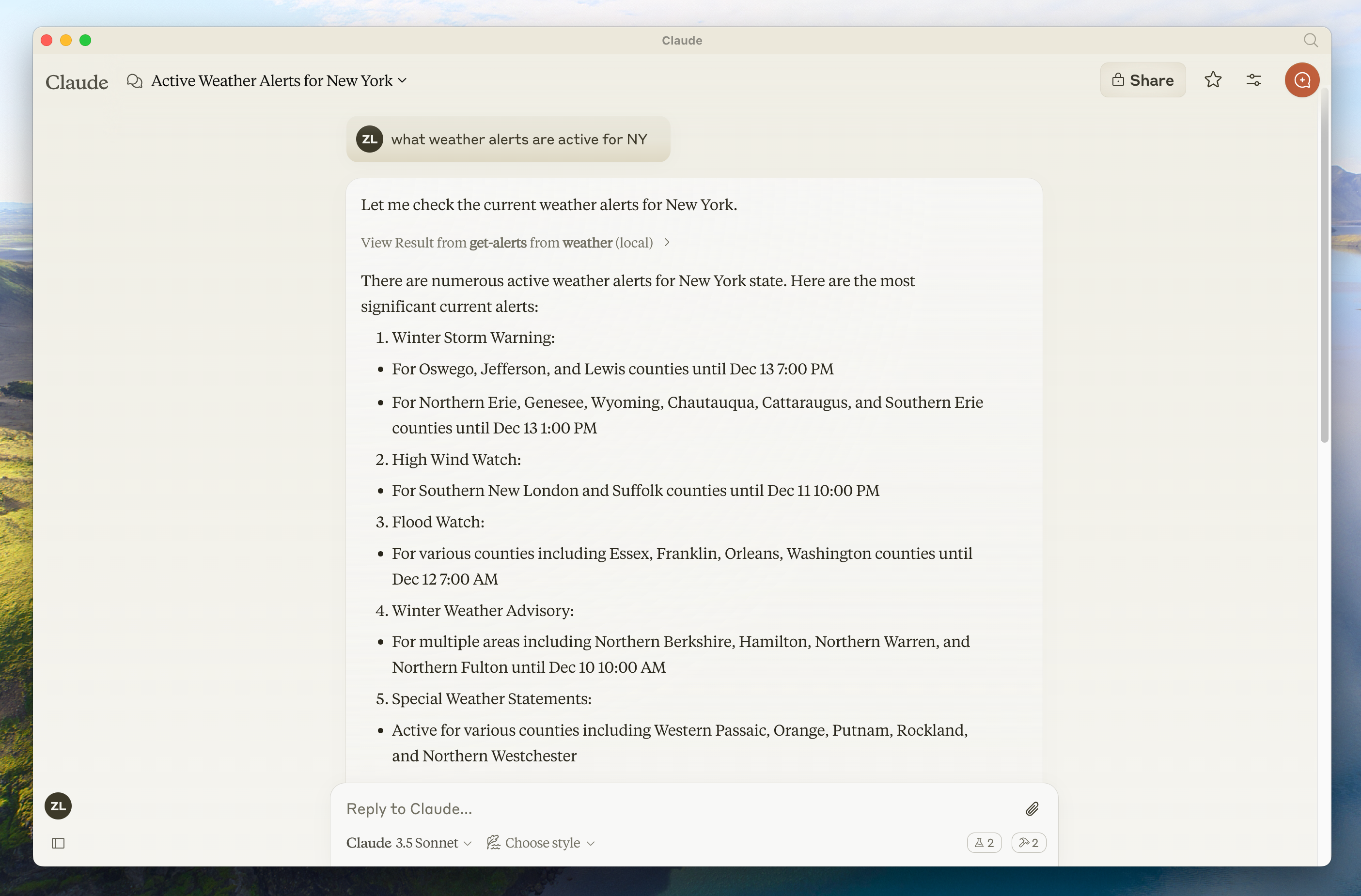
MCP 的核心概念
1.
2.
3.
先决知识
系统要求
设置你的环境
uv 并设置我们的 Python 项目和环境:powershell -ExecutionPolicy ByPass -c "irm https://astral.sh/uv/install.ps1 | iex"powershell -ExecutionPolicy ByPass -c "irm https://astral.sh/uv/install.ps1 | iex"uv 命令被识别。# Create a new directory for our project
uv init weather
cd weather
# Create virtual environment and activate it
uv venv
.venv\Scripts\activate
# Install dependencies
uv add mcp[cli] httpx
# Create our server file
new-item weather.py# Create a new directory for our project
uv init weather
cd weather
# Create virtual environment and activate it
uv venv
.venv\Scripts\activate
# Install dependencies
uv add mcp[cli] httpx
# Create our server file
new-item weather.py构建你的服务器
导入包并设置实例
weather.py 文件的顶部:FastMCP 类使用 Python 类型提示和文档字符串来自动生成工具定义,从而简化了创建和维护 MCP 工具的过程。辅助函数
实现工具执行
运行服务器
uv run weather.py 以确认一切正常。使用 Claude for Desktop 测试你的服务器
~/Library/Application Support/Claude/claude_desktop_config.json。 如果该文件不存在,请确保创建该文件。code $env:AppData\Claude\claude_desktop_config.jsonmcpServers 键中添加你的服务器。 只有正确配置了至少一个服务器,MCP UI 元素才会显示在 Claude for Desktop 中。{
"mcpServers": {
"weather": {
"command": "uv",
"args": [
"--directory",
"/ABSOLUTE/PATH/TO/PARENT/FOLDER/weather",
"run",
"weather.py"
]
}
}
}{
"mcpServers": {
"weather": {
"command": "uv",
"args": [
"--directory",
"C:\\ABSOLUTE\\PATH\\TO\\PARENT\\FOLDER\\weather",
"run",
"weather.py"
]
}
}
}你可能需要在 command字段中放置uv可执行文件的完整路径。 你可以通过在 MacOS/Linux 上运行which uv或在 Windows 上运行where uv来获取它。
确保你传入服务器的绝对路径。
1.
2.
uv --directory /ABSOLUTE/PATH/TO/PARENT/FOLDER/weather run weather.py 来启动它使用命令测试
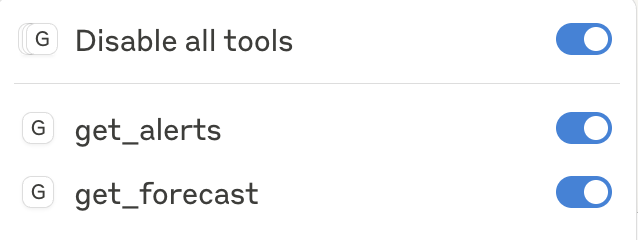
weather 服务器中公开的两个工具。 你可以通过查找锤子  图标来做到这一点: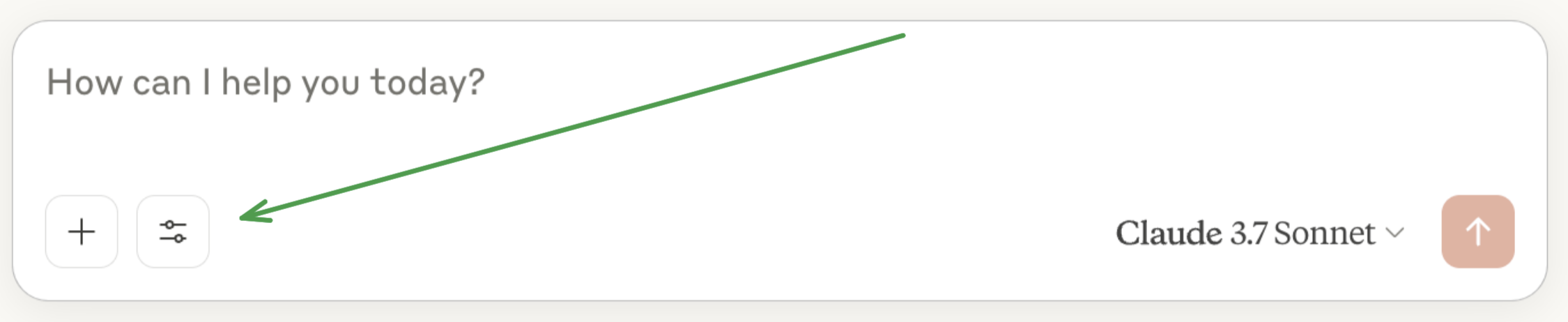
底层发生了什么
1.
2.
3.
4.
5.
6.


 扫码关注公众号
修改于 2025-09-12 09:50:17